
Override capacity and staff with Capacity Rules
Close a recurring time window or change its capacity and staff for one event without editing the shared schedule.
On this page
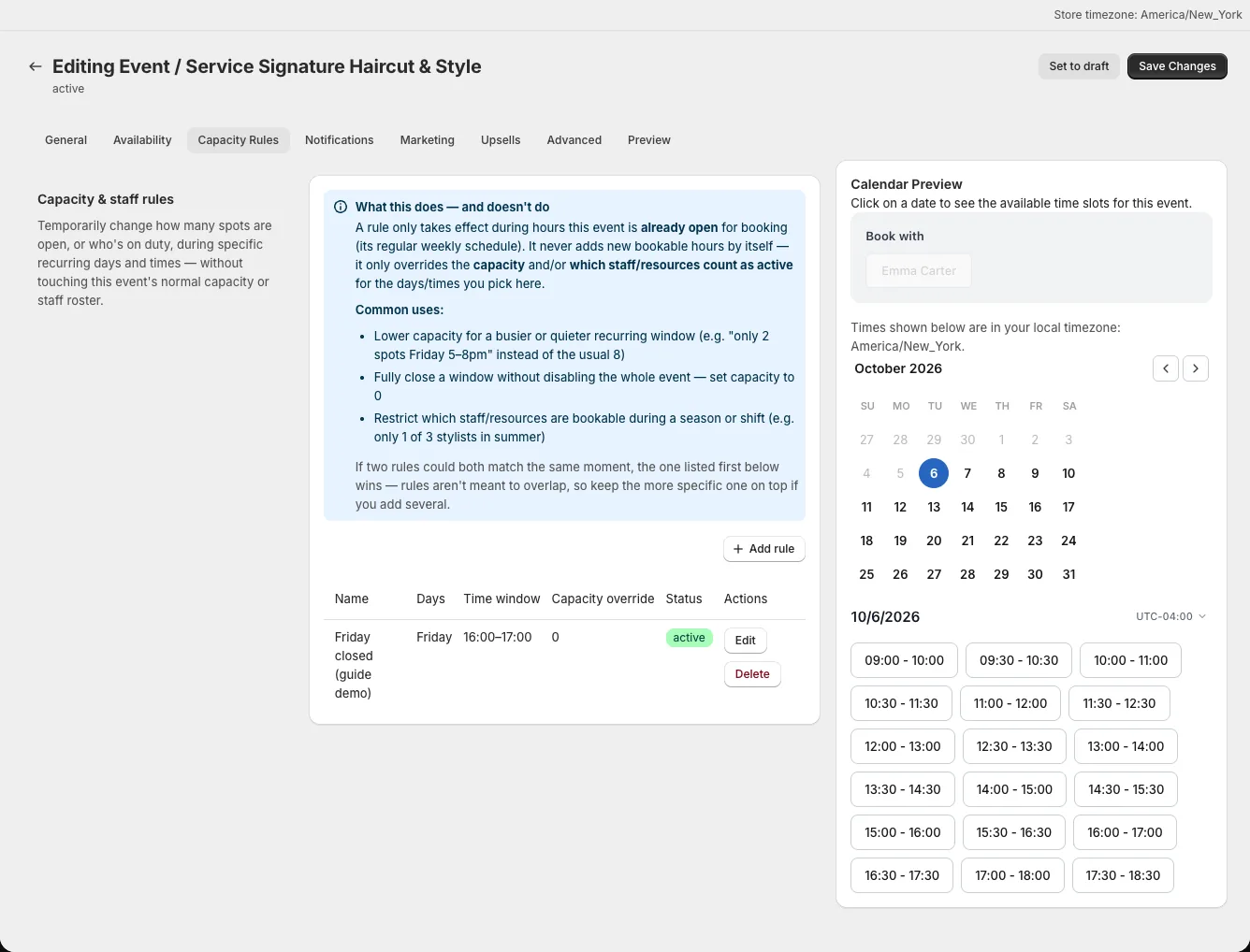
Use Capacity Rules when one event needs a temporary restriction during hours it is already open. Rules can reduce capacity, close a window, or limit which assigned staff count as available.
Choose what a rule changes
A rule matches selected weekdays and start/end times, optionally within a date range. Its Capacity override (optional) replaces the event's regular attendee limit for that window; enter 0 to close it. Staff override (optional) restricts the staff or resources considered active. A rule never creates new bookable hours outside the underlying availability schedule.
If rules overlap, the first listed matching rule wins. Keep narrower rules above broader ones and test a time in the overlap.
Create a rule
- Open the event from Events/Services and select Capacity Rules.
- Select Add rule.
- Enter an internal name, then select Days of week, Start time, and End time.
- Set Start date (optional) and End date (optional) if the restriction is seasonal.
- Enter Capacity override (optional), choose Staff override (optional), or set both.
- Leave Enabled on and select Save.
Rules repeat weekly across their date range. Turning off Repeats every matching week within this date range does not create a one-time rule. To change a single date, set both Start date and End date to that date and select its weekday.
Test the affected slot
Open Preview or the live product page and check a time inside the rule and another outside it. A staff restriction may only become apparent after a specific time is selected; the date itself can still look selectable. Confirm the booking cannot exceed the rule's capacity.
Decide between a rule and a schedule change
Edit Resources → Availabilities when the person's or resource's weekly hours change for every event that uses it. Use Capacity Rules when the change belongs to this event alone and applies inside the existing open hours.