
Who gets an offer
Two cards in the offer editor decide which shoppers and carts get an offer: Eligibility and Targeting.
On this page
Leave both as they are for an offer that applies to everyone.
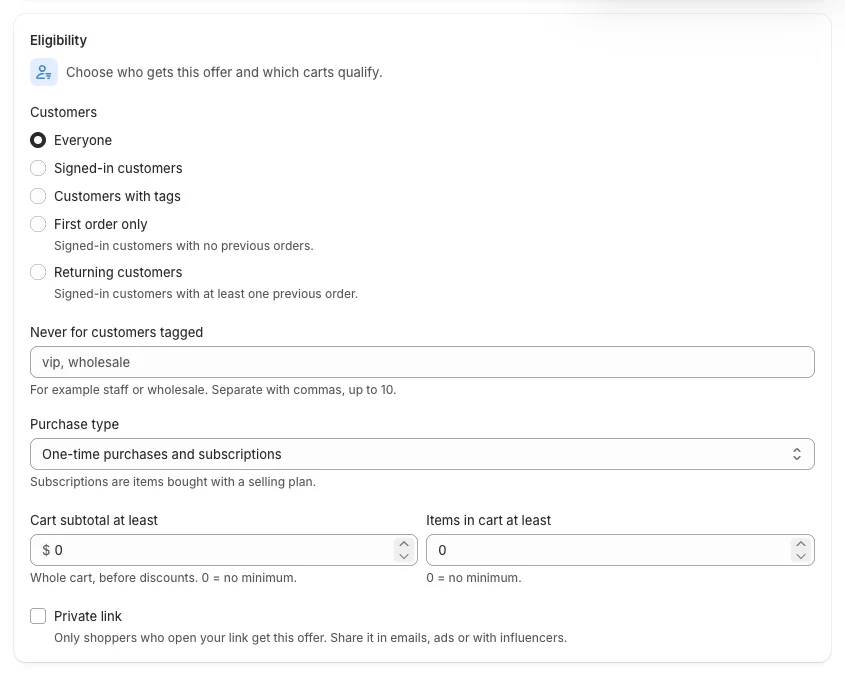
Customers (Growth)
Under Customers, choose one:
| Option | Who gets the offer |
|---|---|
| Everyone | All shoppers, signed in or not |
| Signed-in customers | Shoppers signed in to a customer account |
| Customers with tags | Signed-in customers with one of the tags you enter (for example vip) |
| First order only | Signed-in customers with no previous orders |
| Returning customers | Signed-in customers with at least one previous order |
Never for customers tagged: tags that never get the offer, for example staff, wholesale (up to 10, separated with commas).
Example — "20% off for VIP customers":
- Type
20% off for VIP customersin Describe your offer and click Build it, or open an offer. - In Eligibility → Customers, choose Customers with tags and enter
vip. - In Try it, set Shopper to a tagged customer to check the discount, then Create offer.
Shoppers who are not eligible do not see the offer on the storefront, and Shopify does not apply it at checkout.
Purchase type and cart minimums (every plan)
- Purchase type: One-time purchases and subscriptions, One-time purchases only or Subscriptions only. Subscriptions are items bought with a selling plan.
- Cart subtotal at least: the whole cart, before discounts. 0 = no minimum.
- Items in cart at least: 0 = no minimum.
Private link (Growth)
Only shoppers who open your link get the offer. Share it in emails, ads or with influencers.
- In Eligibility, tick Private link.
- Kitalo creates a Link key ①; change it if you like (lowercase letters, numbers and hyphens), or click Generate for a new one.
- Save the offer.
- Copy the link with the clipboard icon, for example
https://your-store.com/?offer=summer-vip, and share it.
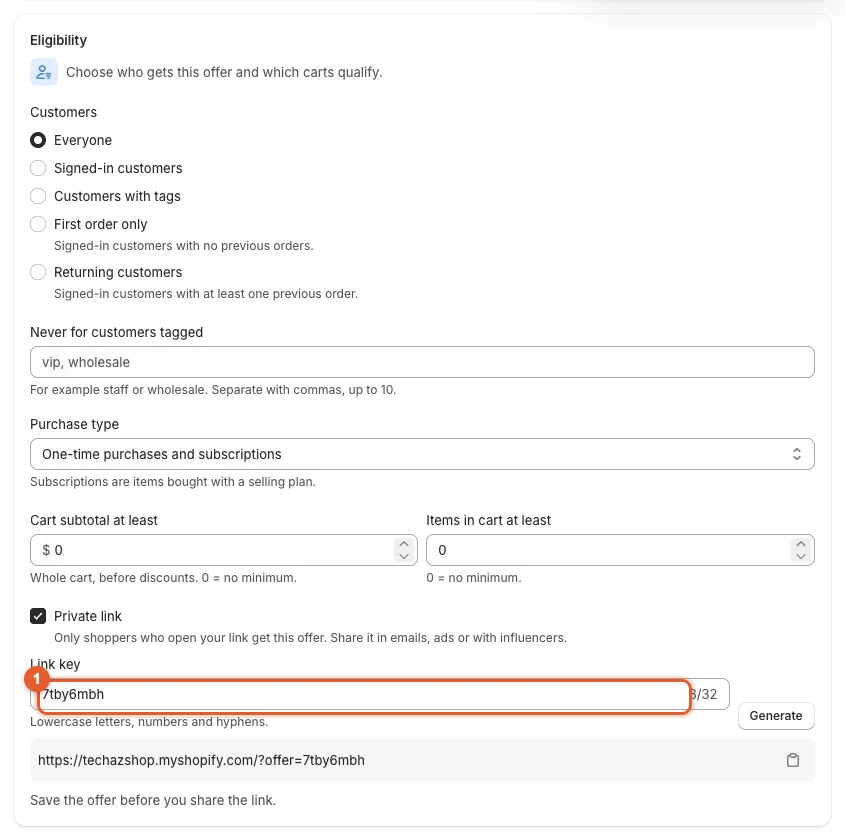
A shopper who opens the link keeps the offer for their visit, also through Buy it now and wallet buttons. Others do not see it.
Markets and customer segments
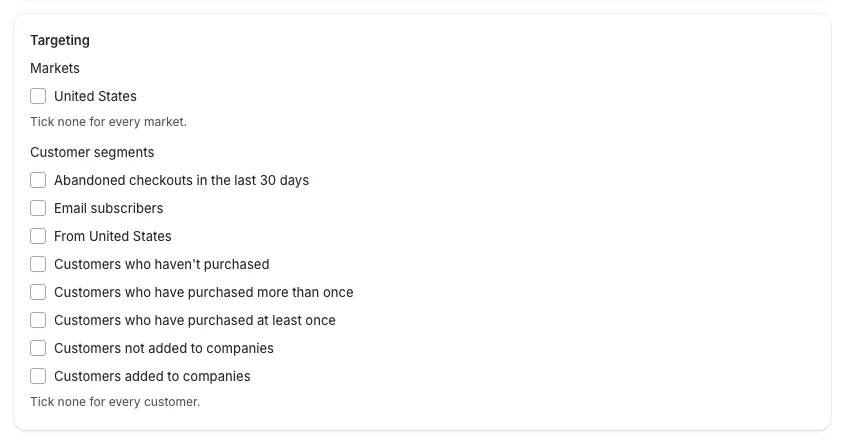
- Markets (Growth): tick the markets where the offer runs, for example only "United States". Tick none for every market. Shoppers in other markets do not see the offer, and it does not apply there.
- Customer segments (Pro): tick segments you built in Shopify admin → Customers → Segments, for example "Customers who have purchased more than once". Tick none for every customer.
Kitalo lists your markets and segments from Shopify. If the list cannot be loaded, the card shows an ID field instead: paste the market or segment ID from Shopify admin.
Good to know
- All rules must be met: a customer tag rule and a market rule mean "tagged customers in that market".
- Customer rules need the shopper to be signed in. Guests only get offers set to Everyone.
- Test any rule with Try it: change the Shopper to see the result for a guest, a signed-in customer, a tagged customer or a first order.