
Choose or change your booking app plan
Compare the current plans, approve a change through Shopify, and find your subscription and invoice details.
On this page
Open Account to see your current CB Booking plan and compare the available tiers. Shopify manages paid subscriptions and the official invoice history.
Compare plans on the Account page
Open Account and review the pricing cards. They show Free, Starter, Growth, Business, and Advanced; Growth carries the Most popular badge. Each card lists its current price and feature bullets. Use this page for the current limits before choosing a tier, since prices and included features can change.
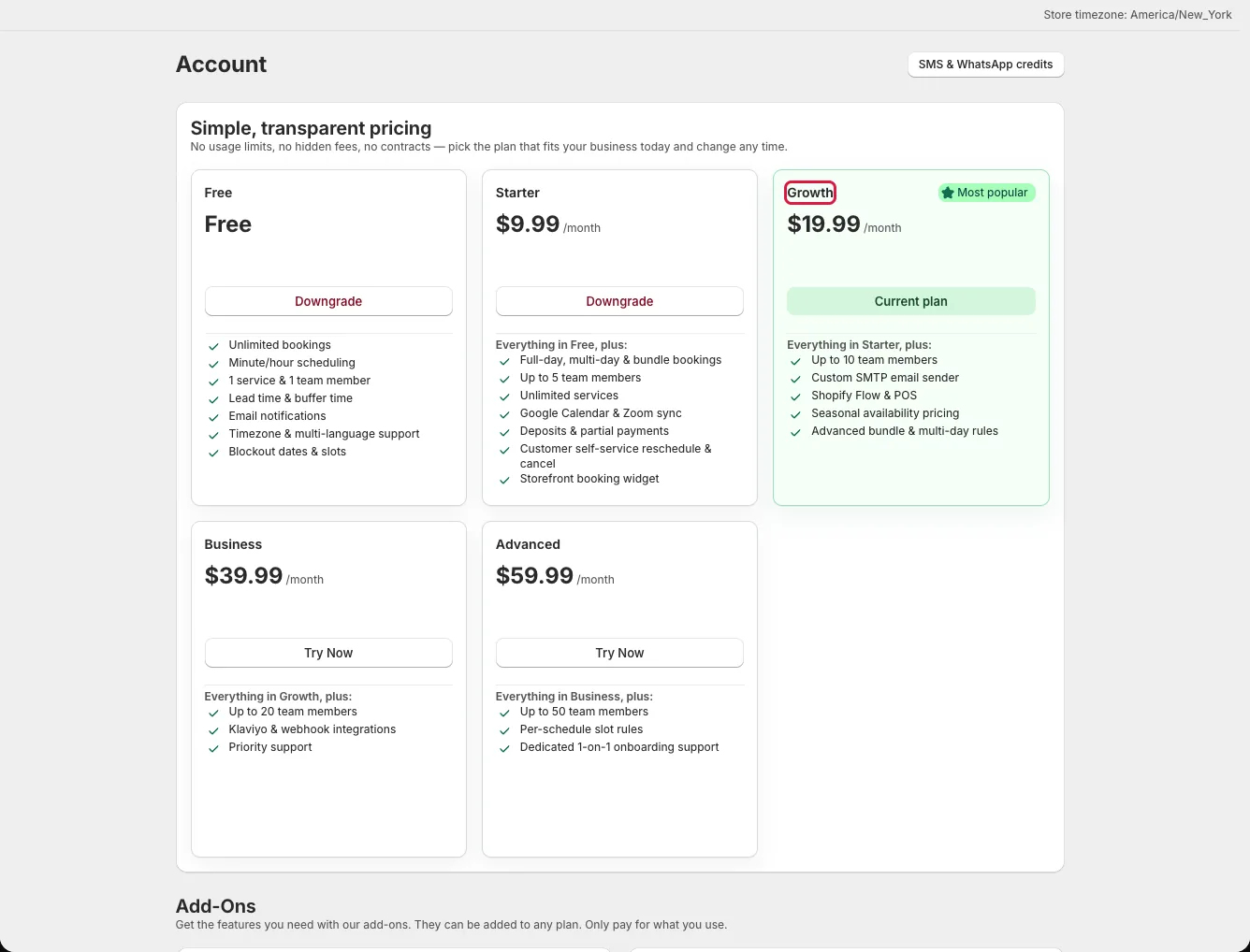
The Free card has a limited team and service allowance. Higher tiers increase the team limit. Custom SMTP requires Growth or above; check this before changing to a lower tier if you send booking emails from your own domain.
Change or cancel a subscription
- Click the action on the plan card you want.
- Review the Upgrade, Downgrade, or Switch to Free confirmation in the app.
- For a paid plan change, continue to Shopify and approve the subscription there.
- Return to Account and check Current plan and its status.
To end a paid subscription, click Cancel subscription in Account and confirm. The Payment History card shows the current subscription, status, start date, and period end when Shopify reports them. Click View Shopify billing for official invoices, charge history, and payment status; the app does not show an invoice ledger of its own.
Add-ons and message credits
The Staff Portal is shown as free with unlimited seats on the Account page, while plan cards still list team member limits for other staff features. SMS and WhatsApp messages use separately purchased credits; no tier includes a free message allowance. Open Account → SMS & WhatsApp credits to see the balance and buy more.