
Understand your booking performance
Filter booking reports and read revenue, cancellation, source, service, and staff trends.
On this page
Use Reports to see how bookings and revenue change over time. The report is most useful after you have booking history from more than one date or event.
Open and filter the report
Open Reports from the app navigation, or click View full report on the Home dashboard's report overview. Choose Today, Week to date, Month to date, Last 30 days, or a custom date range. Use the service selector to compare All services or focus on one event.
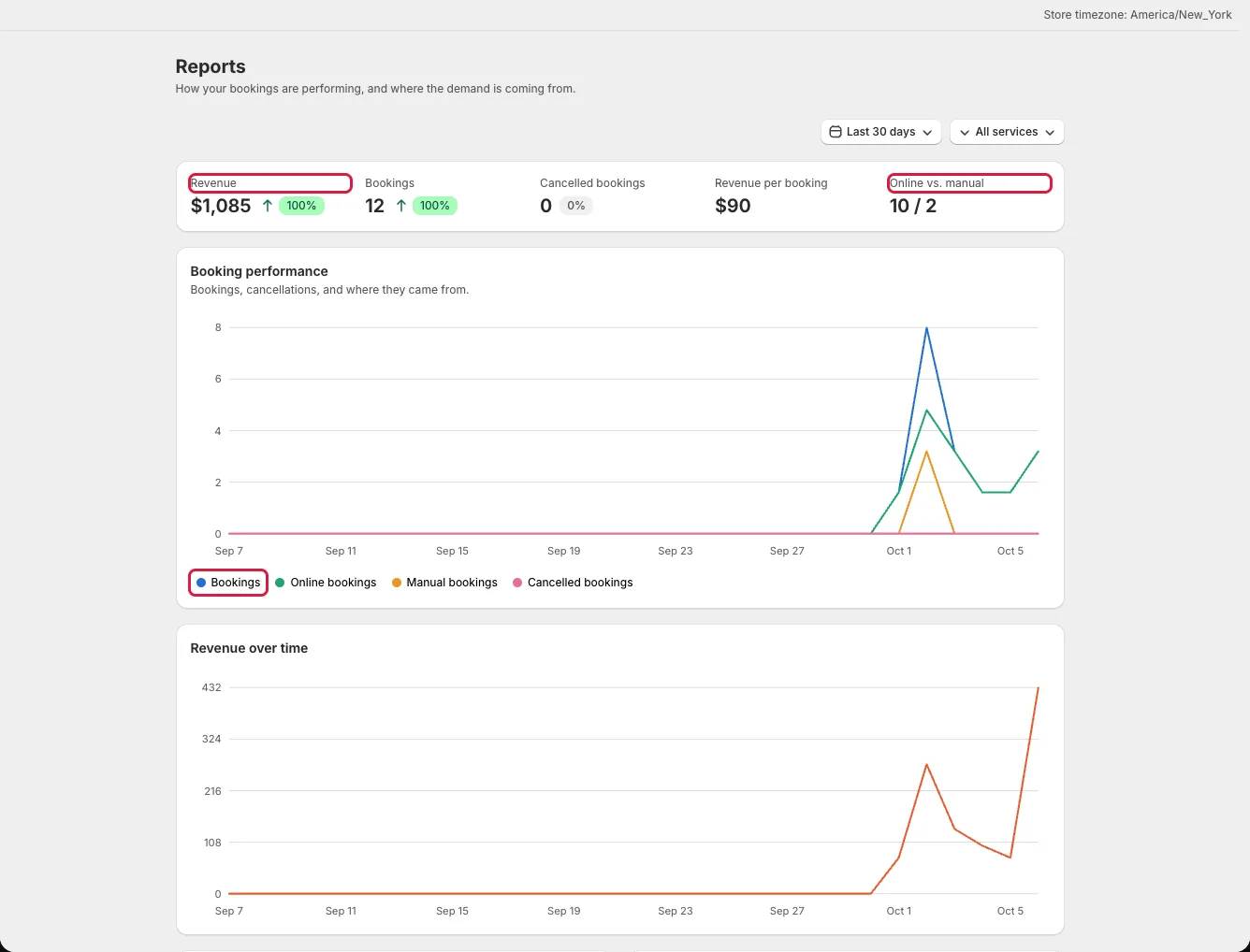
Changing either filter updates the figures and charts for the selected period and service. Use the same filters when comparing two visits to the page; otherwise differences may simply reflect a different time window.
Read the summary metrics
The top cards show Revenue, Bookings, Cancelled bookings, Revenue per booking, and Online vs. manual. Revenue and booking counts show a change from the comparable prior period. Online counts bookings customers made through the booking widget and Manual counts bookings created in the admin. Bookings from other sources, such as Shopify POS, aren't in either count. A manual count is not proof that a customer paid offline.
Revenue is calculated from non-cancelled booking records in the selected period. Add-on revenue is tracked separately in the report data, so do not read the Revenue card as the full Shopify order total. For a disputed charge or refund, open the booking and its Shopify order.
Use the charts and rankings
Booking performance plots bookings, online bookings, manual bookings, and cancellations over time. Click a legend item to show or hide its line. Revenue over time has its own chart so currency and booking counts do not share one scale.
The lower charts show activity by day of week and the most popular services. Popular staff ranks assigned staff or resources when that comparison is relevant; it is hidden for a single-service filter.
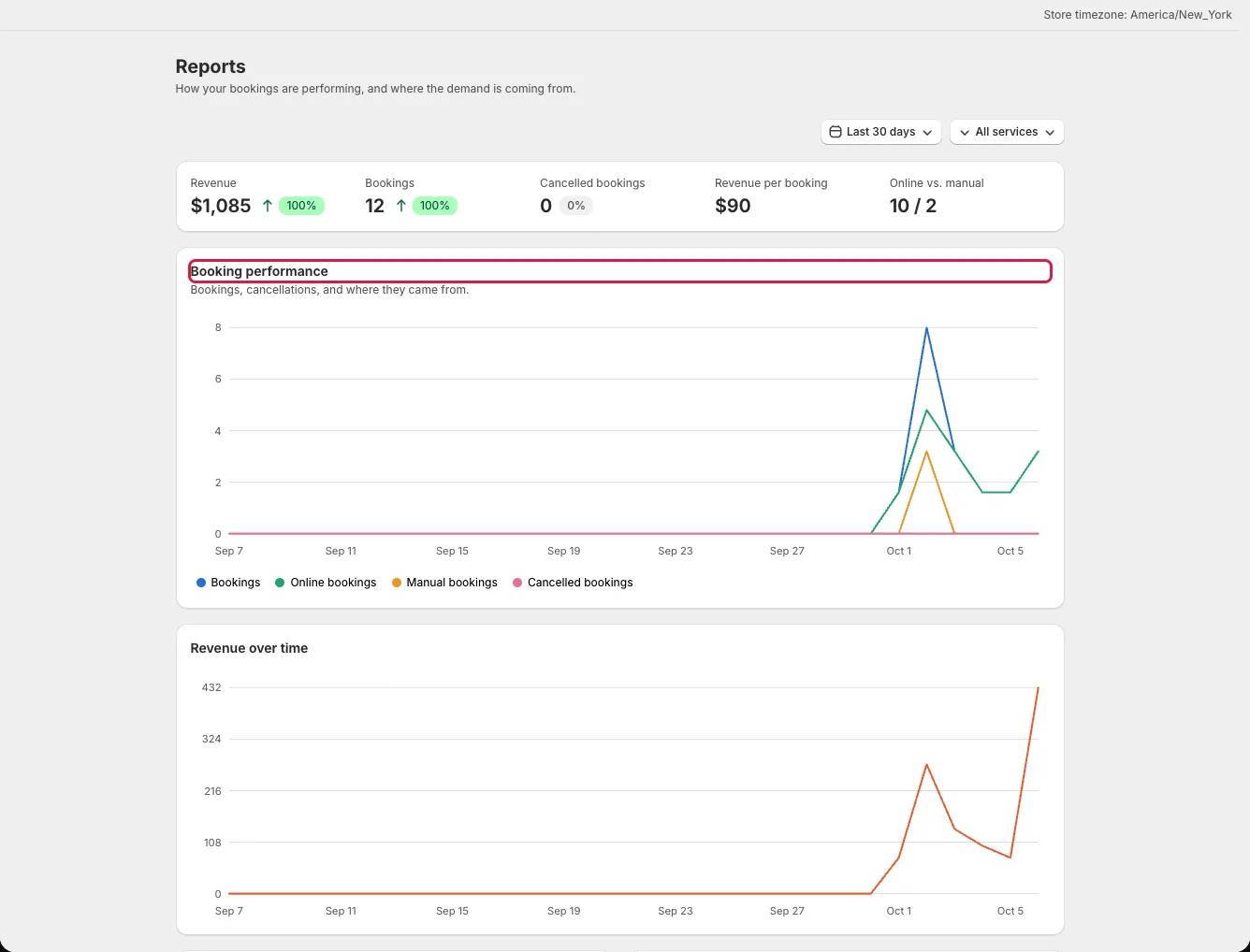
Use these patterns to decide which schedules need more capacity, then check the underlying bookings before changing availability. A cancelled booking can affect both the cancellation count and available capacity.