
Troubleshooting: the form won't submit
The two usual causes: the website's domain isn't on your allowed list, or the plan's monthly submission limit has been reached.
On this page
If a form shows but submissions don't go through, it's almost always one of two things. Check them in this order.
1. The website's domain isn't on your allowed list
Form Builder Pro only accepts submissions from domains you have allowed. This protects your forms from being copied onto other sites — but it also means a new domain must be added before its forms can submit.
- Open Settings → Domains in Form Builder Pro.
- Enter the domain where the form is embedded (for example
yourstore.com) and click Add.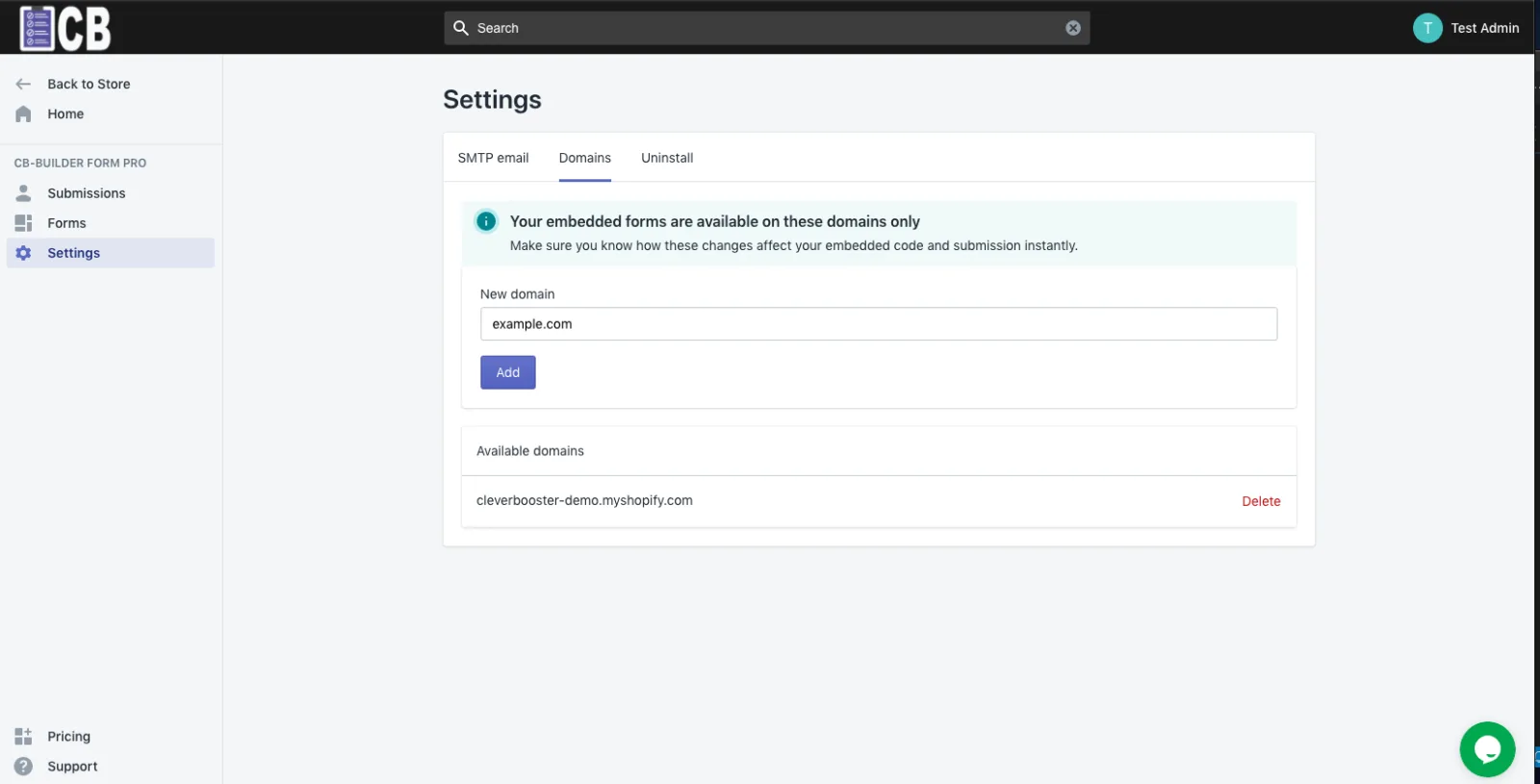
- Reload the page with the form and submit again.
Add the domain before you embed the form snippet on a new site.
2. You've reached your plan's monthly submission limit
Each plan includes a number of submissions per billing month — the Free plan includes 30. Once the limit is reached, new submissions are blocked until the next billing month.
To keep accepting submissions, upgrade your plan. See the current limits on the Form Builder Pro pricing page.
Still not working?
A network problem on the visitor's side can also stop a submission. If both checks above look fine, email [email protected] with the page URL and we'll take a look.