Buy SMS & WhatsApp credits
Add non-expiring message credit, review purchases, and check the current SMS and WhatsApp rates.
On this page
SMS and WhatsApp messages draw from one separate credit balance. Credits are available on any plan and do not expire. A subscription does not include free SMS or WhatsApp sends.
Check the balance before sending
Open Account → SMS & WhatsApp credits and read Credit balance. Each eligible send consumes its channel and destination rate from the shared USD balance; it is not a universal one-credit-per-message count. The page links to the exact current pricing table.
When the balance is too low, an SMS or WhatsApp attempt can be blocked. Email notifications have separate event settings and sending paths, so do not assume a failed text is replaced by an email for that same notification. Check the booking's Notification Log and the event's Notifications tab if a customer received nothing.
Buy more credits
- Open Account → SMS & WhatsApp credits.
- Choose a package under Buy more credits.
- Approve the one-time charge on Shopify's confirmation screen.
- Return to the credits page and check Credit balance and Purchase history.
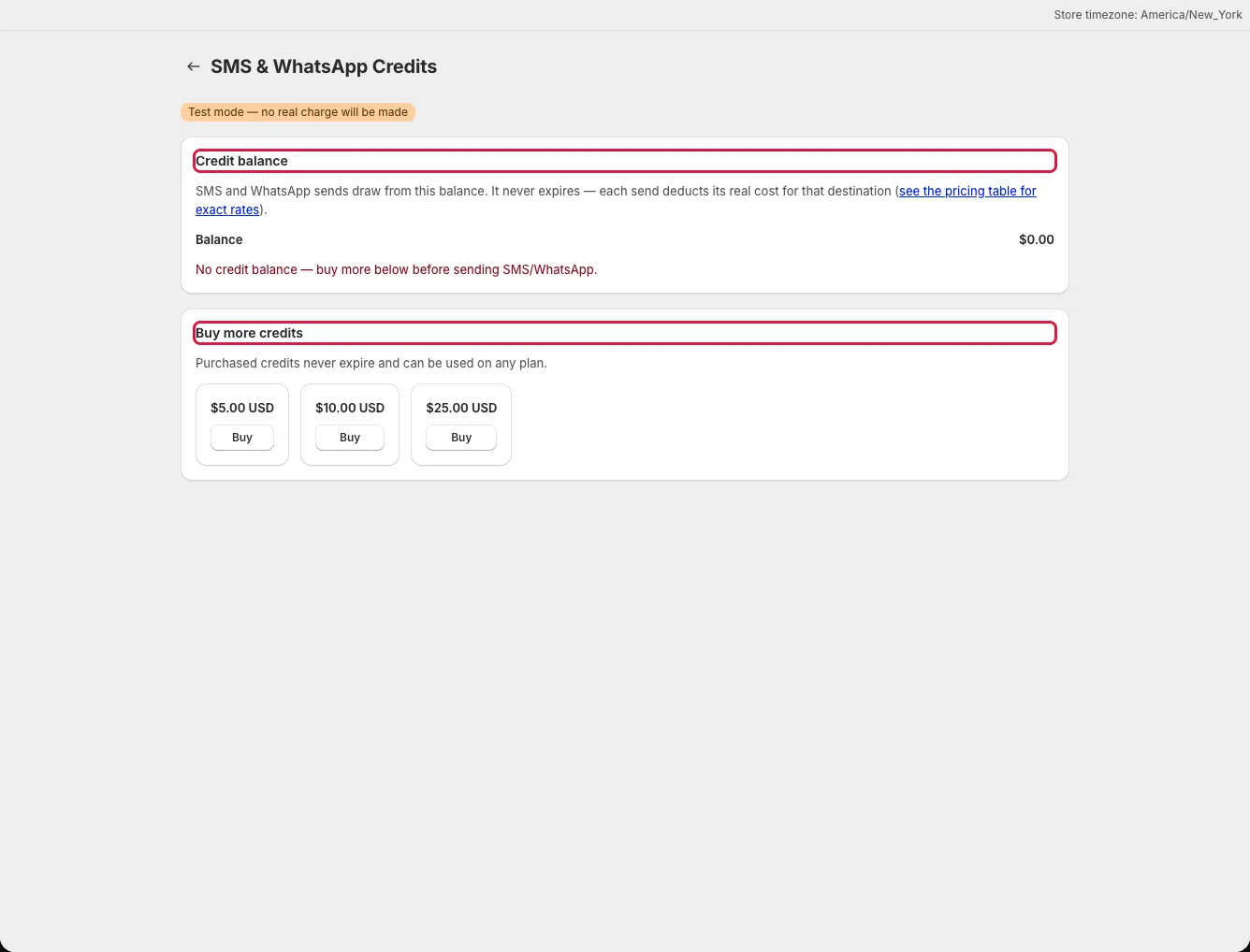
The balance is updated after Shopify confirms the purchase. If you close the approval page before returning, revisit the credits page so the app can reconcile a pending purchase. Purchase history lists the date, amount, and package for recorded top-ups.
Check what a message costs
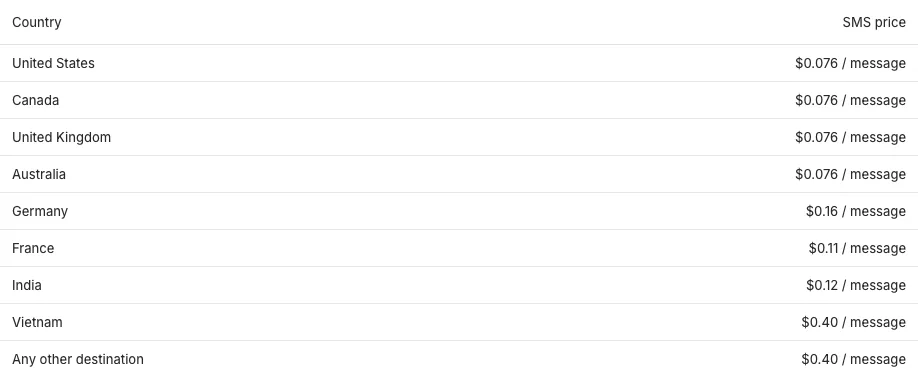
Click the pricing table link on the credits page to open SMS & WhatsApp pricing. SMS rates depend on the destination country. WhatsApp has one listed rate across countries. Review this page before a large campaign or after changing the countries you serve; the live table is the source for current rates.