
Buy one, get one (BOGO)
"Buy 1, get 1 free" or "Buy 2 Merino Socks, get the third pair free." The cheaper item is free (or discounted) when shoppers buy enough of the selected products.
Available on every plan.
Create a BOGO offer
- Go to Offers → Create offer and click Use template under Buy one, get one free (or type
Buy 2 get 1 freein Describe your offer and click Build it). - Name and Discount message, for example "Buy 1, get 1 free".
- In Buy and get:
- Customer buys: From — All products, Specific products or Specific collections — and the Quantity to buy.
- Customer gets: From the same products (classic BOGO) and the Quantity that gets the reward.
- Discount: Free, Percentage off, Amount off each item or Fixed price per item.
- Which items get the reward: Reward the cheapest items first (usual) or Reward the most expensive items first.
- Uses per order: 0 means no limit (buy 2 get 2, buy 3 get 3…); 1 means once per order.
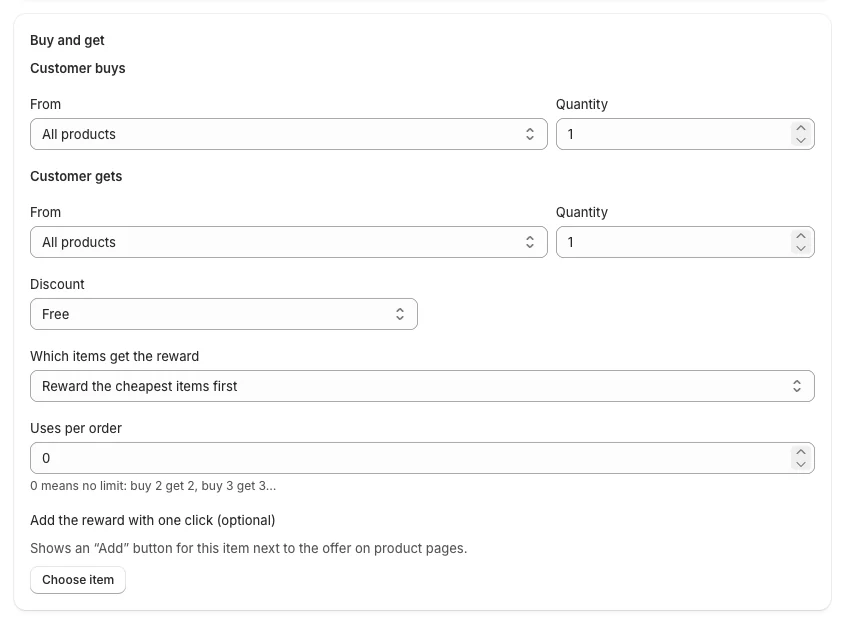
- Optional: Add the reward with one click — click Choose item to show an Add button for that product next to the offer on product pages.
- Storefront: the Heading ("Special offer") and Subheading. The subheading can use
{quantity}(items to buy),{discount}(the saving) and{gift}(the reward product): "Buy {quantity}, get {discount} off {gift}".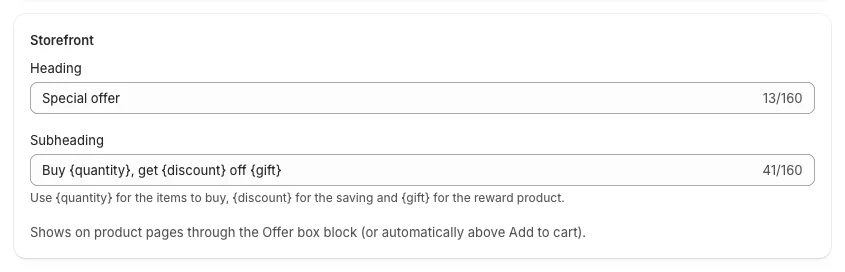
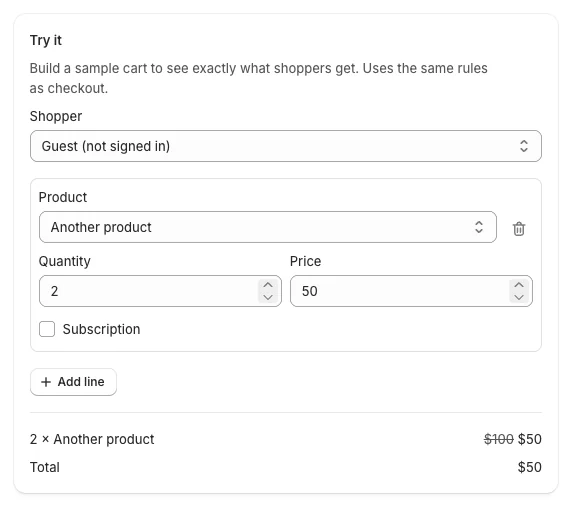
- Check Try it: with two items in the cart, one of them is free.
- Click Create offer.
What shoppers see
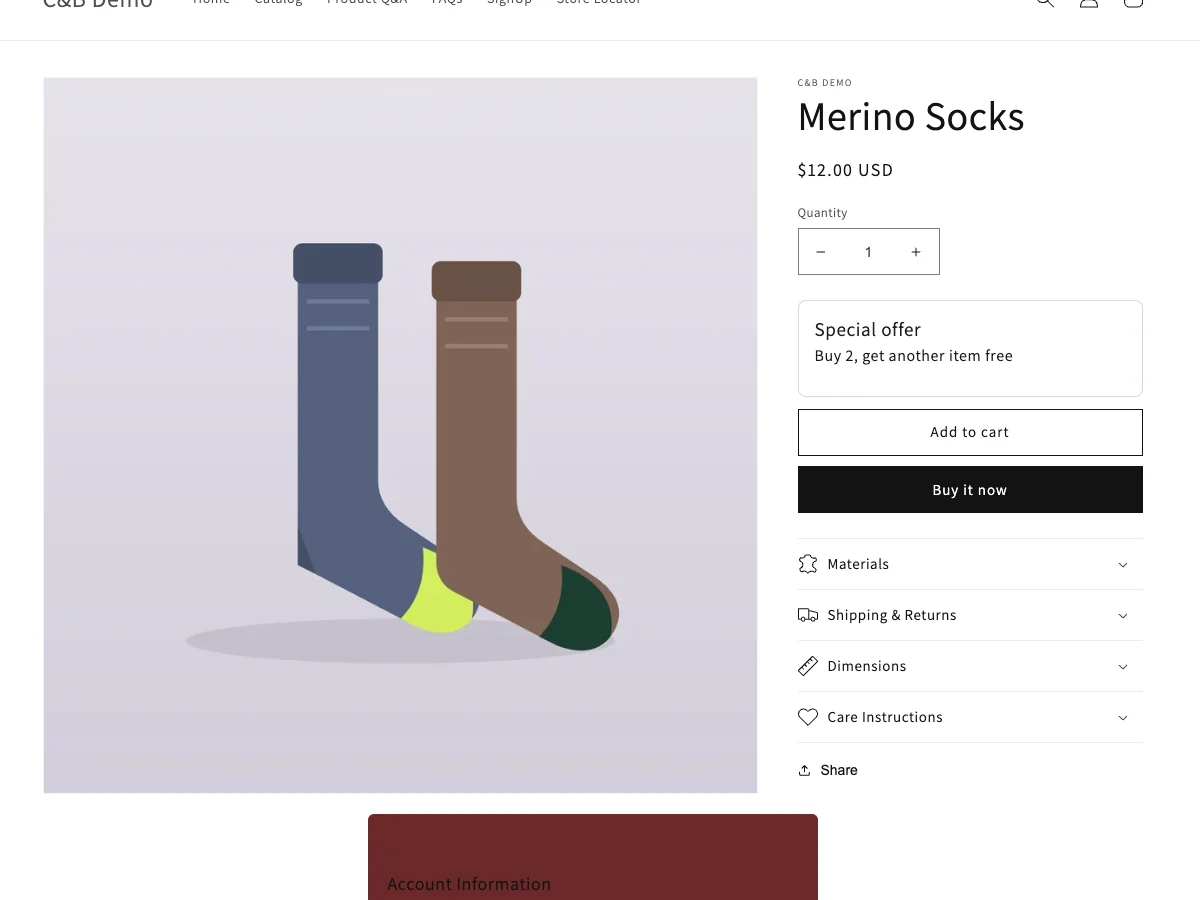
- On the product page: the offer box with the heading and "Buy 1, get another item free", and the Add button if you chose a one-click reward.
- In the cart: the rewarded item at its new price, with your discount message. If the cart holds the "buy" items but not the reward, the cart upsell card offers the missing item (Where offers appear).
Good to know
- When "buy" and "get" are the same products, the items that are bought are never the ones rewarded: with 3 items in a "buy 2 get 1" offer, the reward goes to the cheapest (or most expensive) one, and the other two are paid.
- For different products ("buy shirts, get a cap"), see Buy X, get Y.