
Fix a booking widget that is not showing on a product page
Check the live theme, product publication, event status, and storefront switch when the booking calendar is missing.
On this page
If the booking widget is missing, check the theme and product setup before changing availability. An event can have open slots while its product page still has no widget.
Symptom: Widget is missing on the product page
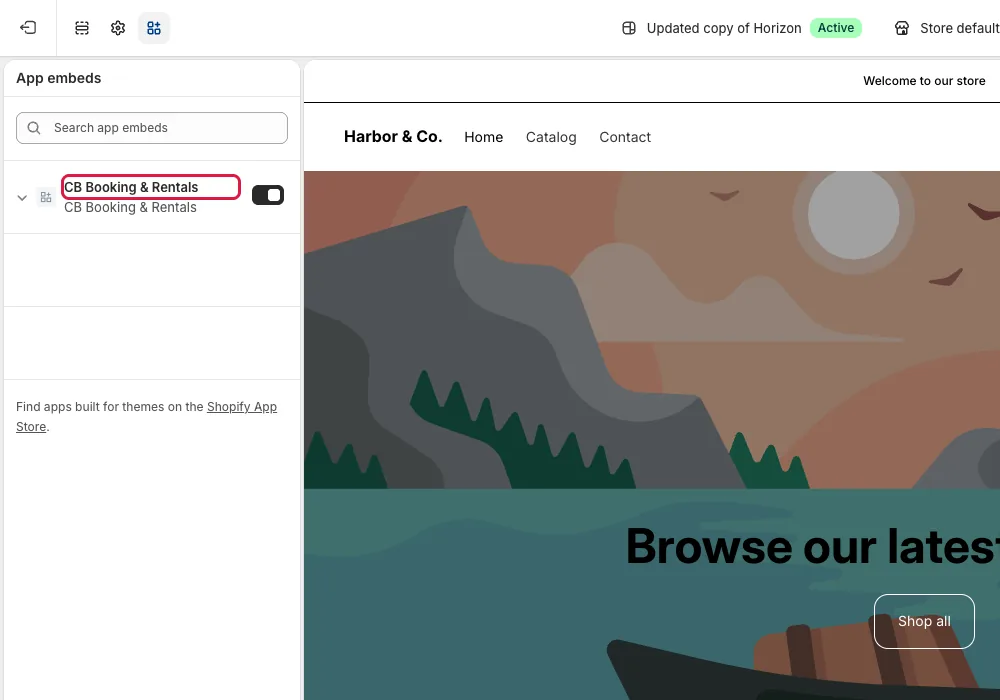
Check 1: The live theme's app embed
- Check: The app embed might be off. Enabling it on a draft theme does not change the published theme.
- Fix:
- Open Online Store → Themes → Customize for your published theme.
- Select the App embeds icon in the left sidebar.
- Turn on CB Booking & Rentals.
- Click Save.
- Reload the product page.
Check 2: The connected product and event
- Check: The product or event might not be active. A draft event stays hidden.
- Fix:
- Open the connected Shopify product.
- Set it to Active.
- Make sure it is published to the Online Store.
- Open Events/Services in CB Booking.
- Select the event.
- Click Activate if it is a draft.
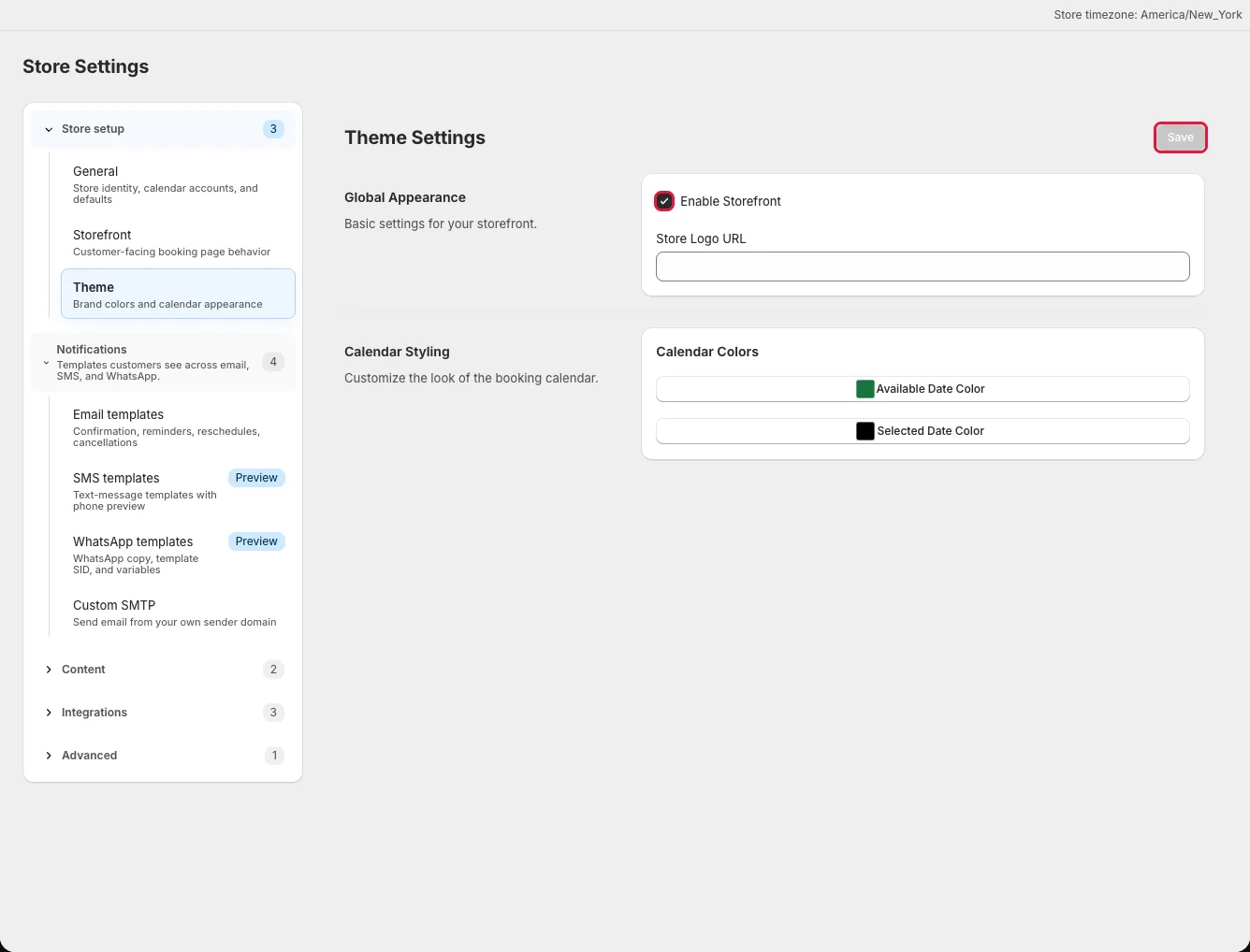
Check 3: The storefront switch
- Check: The master storefront switch might be disabled.
- Fix:
- Open Settings → Theme.
- Turn on Enable Storefront.
- Click Save.
- Reload the live product page.
If the widget appears but has no dates or times, follow Fix an empty booking calendar.
Check 4: Theme compatibility
- Check: You might be viewing a draft theme preview. Custom product controls might conflict with the app.
- Fix: View the published theme. Review Widget behavior for theme layout issues. Email support with your shop domain, theme name, product URL, and event name if you still need help.