
Block spam with reCAPTCHA
Register your site with Google reCAPTCHA v2 and connect the keys to your form. Available on the Pro plan and above.
reCAPTCHA stops bots from submitting your forms. Form Builder Pro supports Google reCAPTCHA v2 (the "I'm not a robot" checkbox).
1. Register your site with Google
- Open the reCAPTCHA admin console (opens in a new tab).
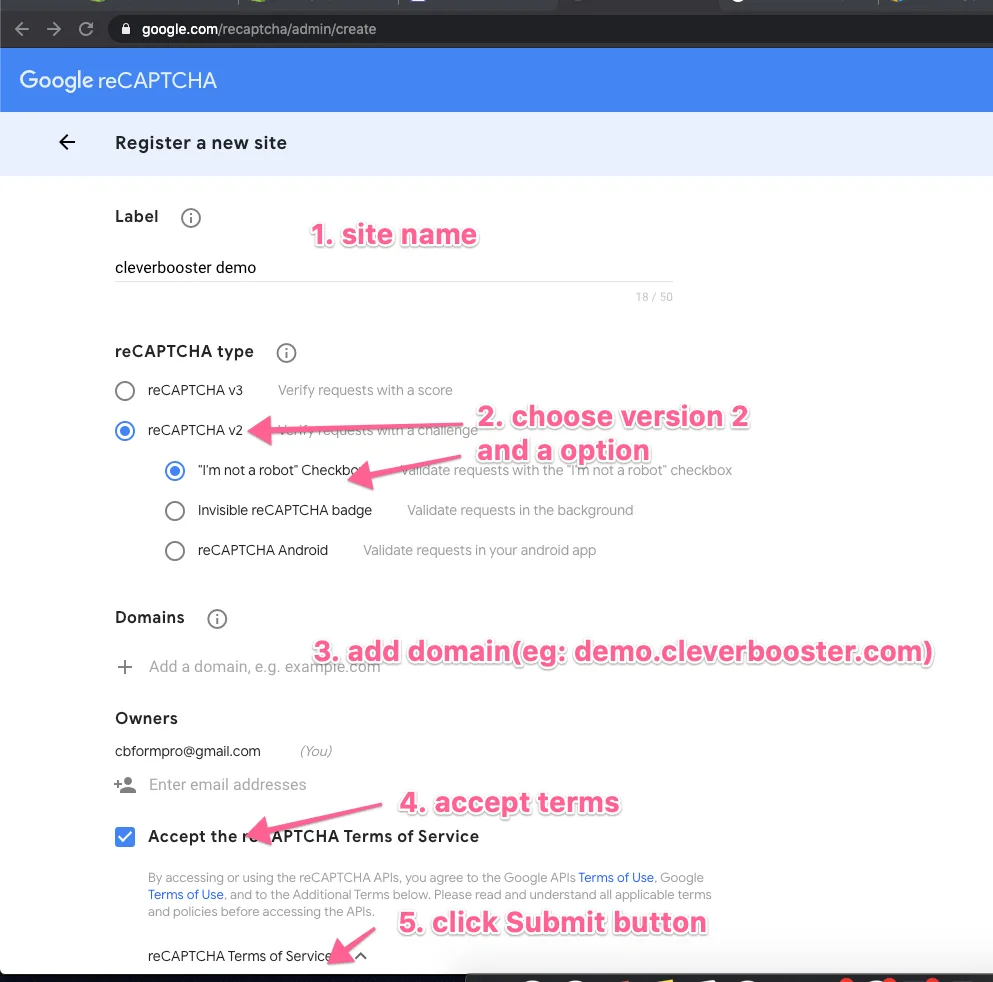
- Enter a label, choose reCAPTCHA v2 → "I'm not a robot" Checkbox, and add the domains where your form appears.
- Accept the terms and click Submit.
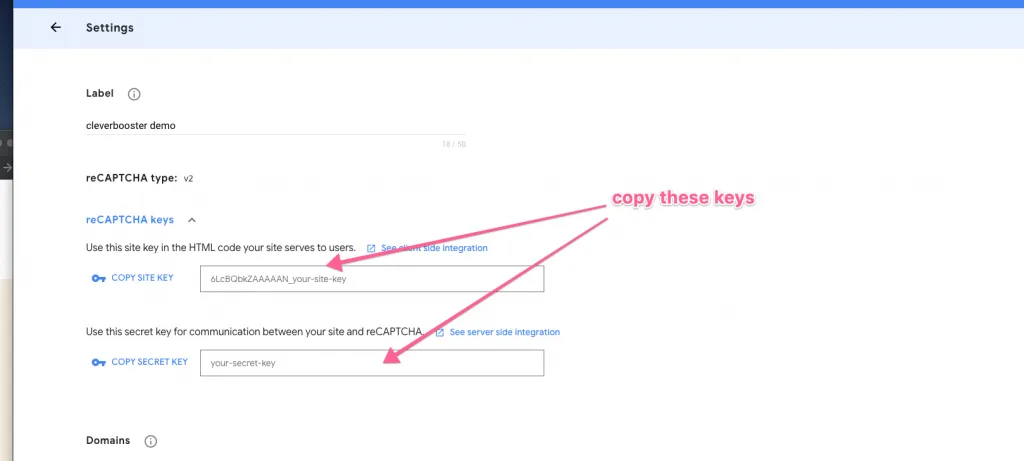
- Copy the site key and the secret key.
2. Add the keys to your form
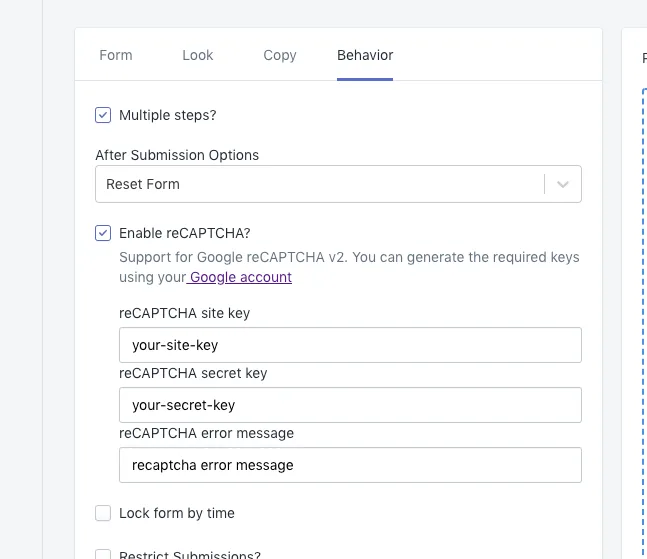
- Open the form in Form Builder Pro and go to the Behavior tab.
- Tick Enable reCAPTCHA?, paste the site key and secret key, and optionally change the error message.
- Save the form.